A compatible Ajax hub is required for the antenna to work.
The device is compatible with:
Hub BP Jeweller
ExternalAntenna sold separately.
Operating principle
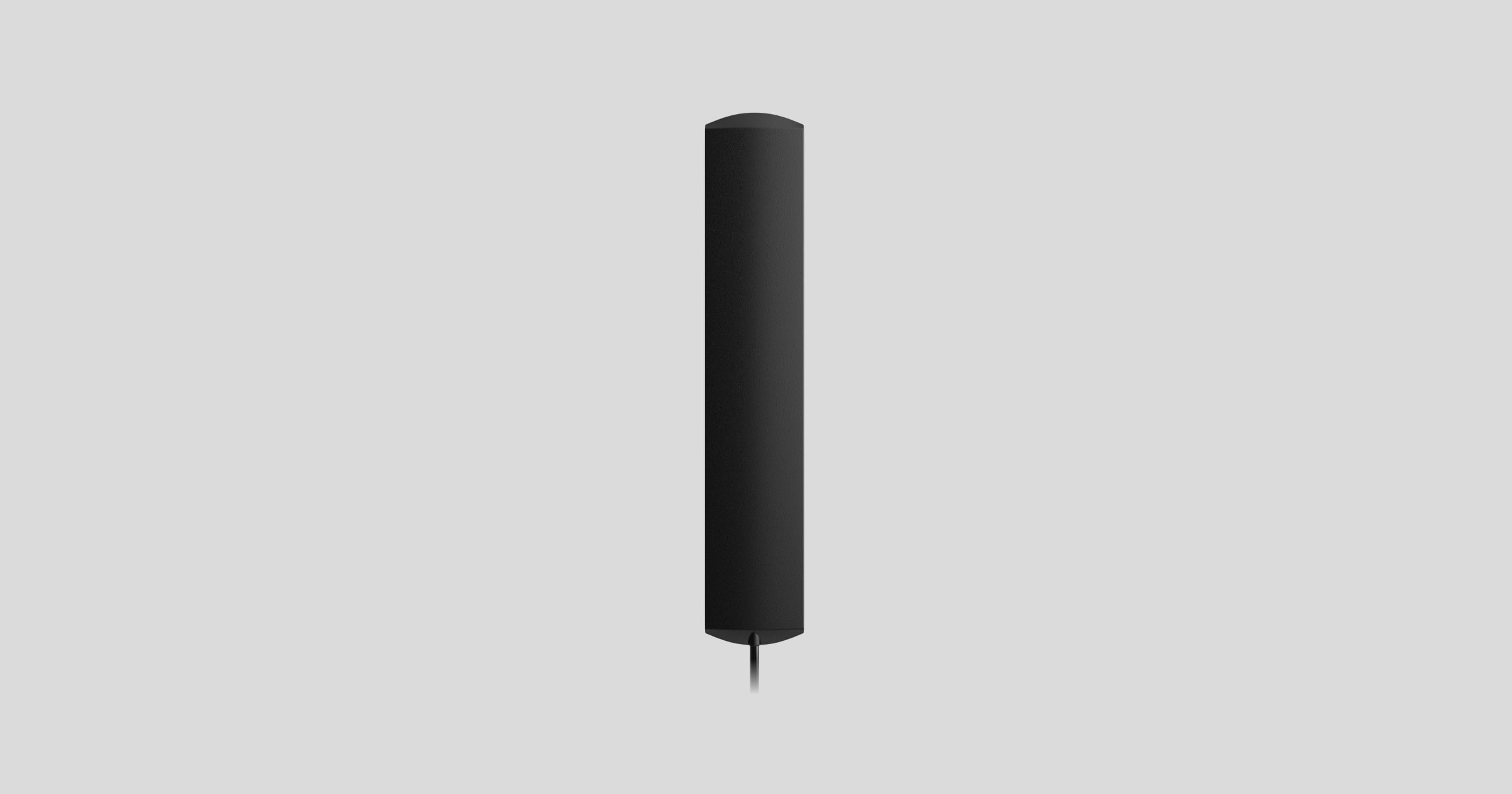
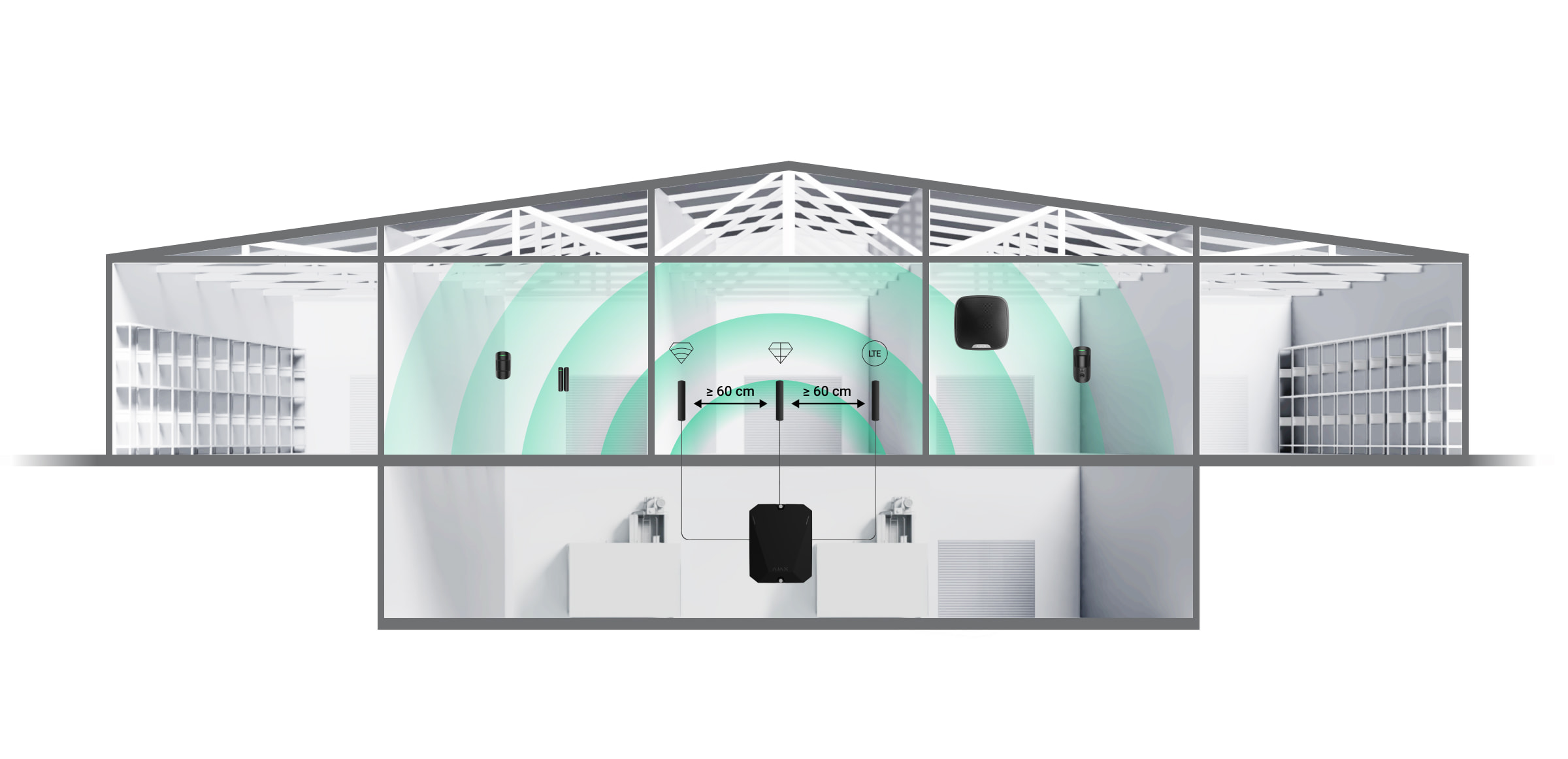
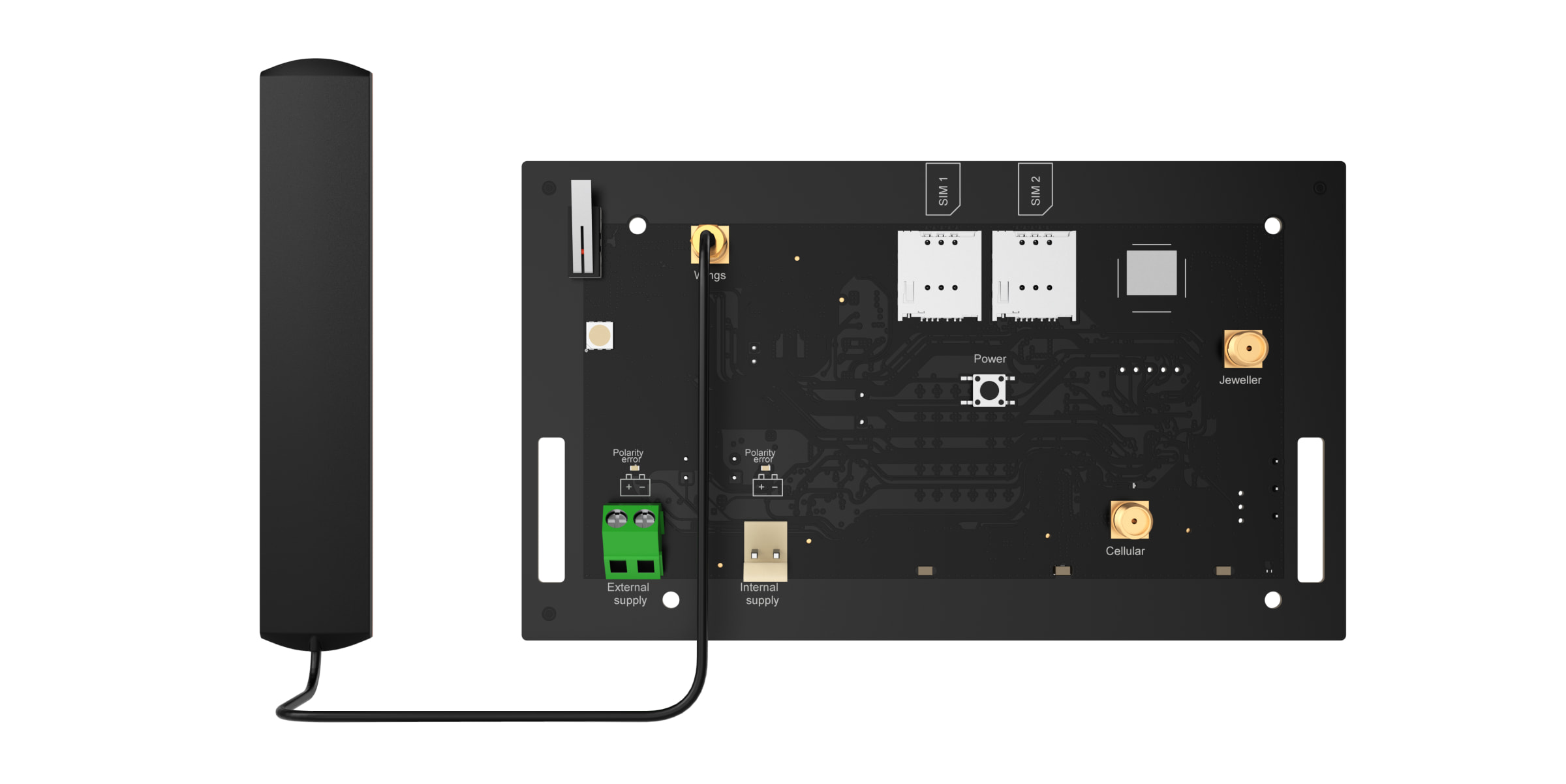
ExternalAntenna improves communication between the hub and connected devices or mobile network. It is useful when the Hub is installed in a safe, in a reinforced concrete room or in other places where the signal has to overcome obstacles. The antenna can be connected to the required Jeweller, Wings or Cellular connectors.
Choosing the installation location
When selecting the installation location for the antenna, factors affecting its performance must be taken into account:
Signal strength of the selected communication channel (Jeweller, Wings or Cellular).
Distance between the antenna and the hub. When using two or more antennas, the distance between them must be at least 60 cm.
Obstacles affecting the radio signal: walls, ceilings and large objects in the room.
Follow the installation recommendations when designing your Ajax system. The safety system must only be designed and installed by specialists. A list of recommended Ajax partners is available here.
Places where the antenna should not be installed
In rooms where the temperature and humidity exceed the permissible limits. This can damage the antenna.
In areas with low signal levels. This may cause loss of connection.
Close to metal objects and mirrors. Conductive objects may obscure the antenna.
Preparing for installation
Before installing the external antenna, make sure that:
The hub is compatible with the ExternalAntenna;
the hub has a stable 2-3 bar signal with the mobile network at the installation site;
all connected devices have a stable 2-3 bar signal at the installation site;
the cable length from the hub to the installation site is sufficient.
Cable layout
When preparing the cable routing, check the wiring and fire safety regulations for your region. Strictly comply with these standards and regulations. Practical advice on cable routing is available in this article.
Cable routing
Before installation, read carefully the section Selecting the installation site. Avoid deviations from the system design. Failure to follow the basic rules and recommendations in this manual may cause malfunctions. Learn more
Installation
Before installation, make sure that you have selected the optimum location for the device that meets the requirements of this manual.
Only a professional electrician should install the appliance.
How to install ExternalAntenna
Before installing the antenna, read the manual of the respective Hub.
Make sure that the hub is unplugged before installation.
Remove the front cover of the hub.
Identify the Jeweller, Wings or Cellular connectors on the circuit board.
Remove the isolation cap from the selected connector.
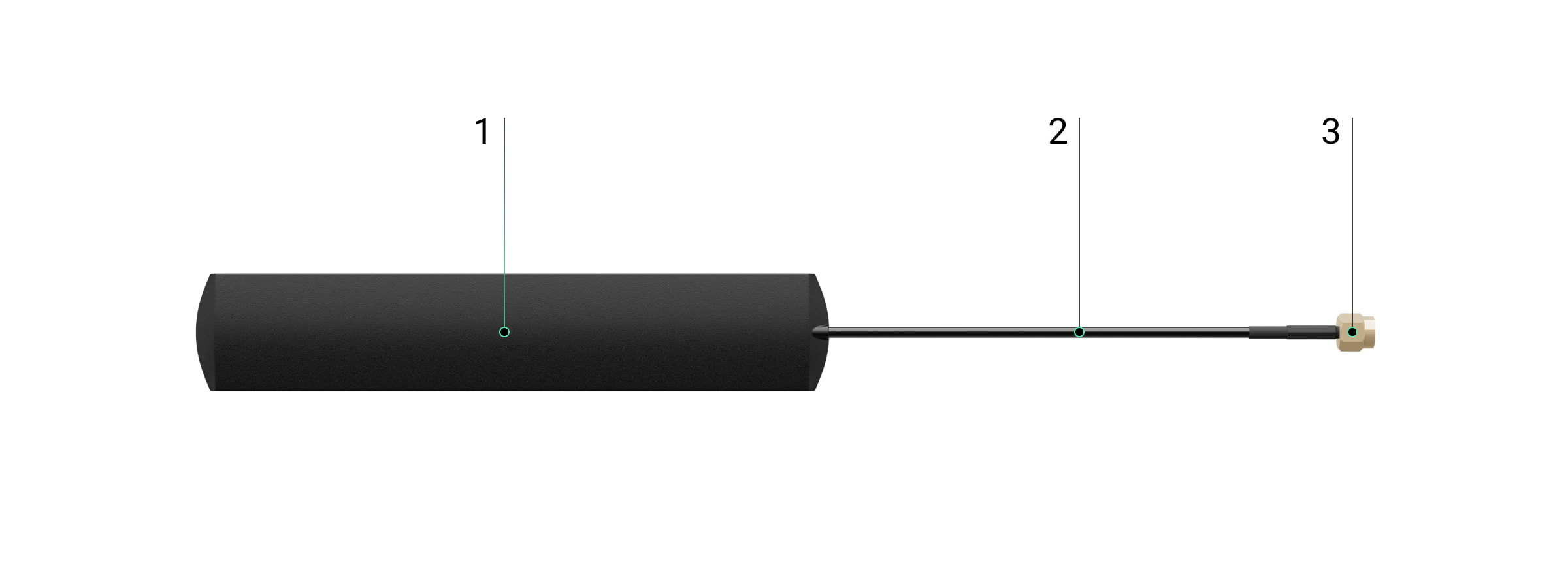
Connect the SMA (male) connector of the antenna to the SMA (female) connector of the board.
Switch on the hub. Close the housing of the hub. Remove the protective film from the pre-applied double-sided tape. Install the antenna at the selected location. Check the connection status in the app.
Status
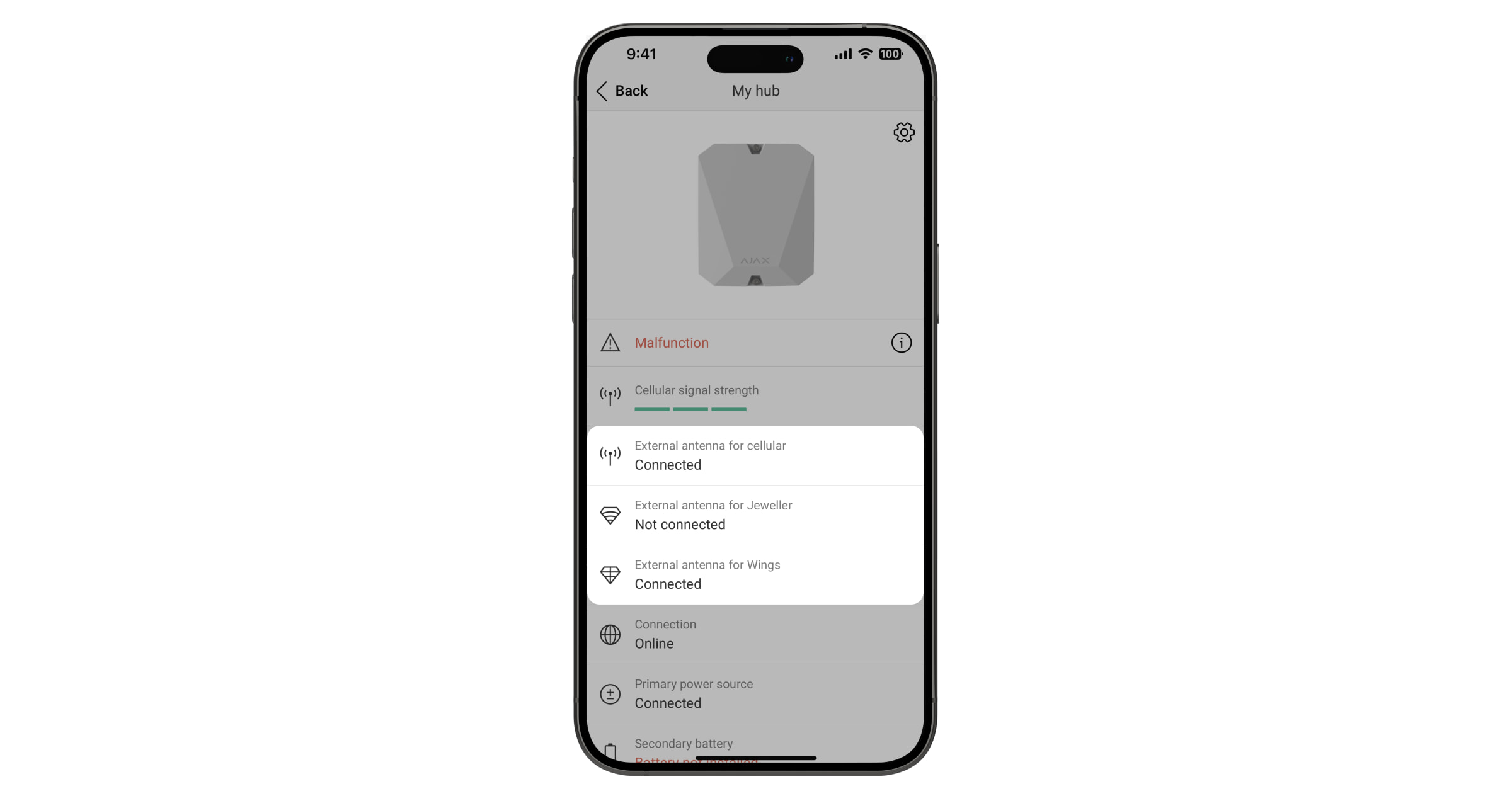
The Hub statuses contain information about the connection status of the antenna. These statuses are available in the Ajax app:
Open the Devices tab.
Select the hub from the list.
If the ExternalAntenna is damaged, the system will notify the user and the CMS.
Maintenance
ExternalAntenna does not require maintenance.
Technical specifications All technical specifications
Compliance with standards
Warranty
The Ajax Systems Manufacturing limited company product warranty is valid for 2 years after purchase.
If the device fails to function properly, please contact Ajax Technical Support first. In most cases, technical problems can be resolved remotely.
Shipping and returns
Supply of goods:
You can choose the most convenient and closest delivery place or point during the order process. It will be possible to conveniently view all the nearest delivery locations on the map or choose delivery to the delivery address you specified.
The formation of the delivery of the goods takes place automatically as soon as we have received the payment for the purchase.
We can fulfill 97% of all orders received immediately and ensure the fastest possible delivery by handing over the prepared package to the courier on the day of receipt of payment.
Next, the package delivery speed already depends on the courier service provider.
We cooperate with: Omniva parcel delivery service, as well as delivery to the specified address by Omniva courier.
1. The product can be received FREE of charge in our store with a card
2. PARCELS. Delivery in all OMNIVA parcels EUR 2.99
3. COURIER. Riga and Riga district, the rest of Latvia EUR 6.00
Returning goods:
We are all about satisfied customers.
There is no need to write a submission to return the goods. If you want to return the product, call us or write on WhatsApp to +371 200 22 881 or write a free e-mail to info@ledakcijas.lv with the order number. We will be grateful if you mention the reason for the return. After receiving the confirmation, you or any other person with whom you will agree must deliver the product to the LEDAKCIJAS.LV store at Cesvaines Street 15a, Riga, or send it via Omniva Parcel to Mego, Sakharova Street 2, Riga Parcel indicating the recipient's number +371 200 22 881 and a description of the problem.
We will return the money within 1 day to a week after receiving the returned item (excluding the delivery fee). The cost of returning the product by post, courier or transport must be borne by the customer, except in cases where the product is defective or does not match the description.
We will examine the problem and agree on the best solution for the situation. The product is not changed or repaired if the damage occurred by not following the instructions for use and regulations.