A compatible Ajax hub is required for the antenna to work.
The device is compatible with:
Hub BP Jeweller
ExternalAntenna sold separately.
Operating principle
ExternalAntenna improves communication between the hub and connected devices or mobile network. It is useful when the Hub is installed in a safe, in a reinforced concrete room or in other places where the signal has to overcome obstacles. The antenna can be connected to the required Jeweller, Wings or Cellular connectors.
Choosing the installation location
When selecting the installation location for the antenna, factors affecting its performance must be taken into account:
Signal strength of the selected communication channel (Jeweller, Wings or Cellular).
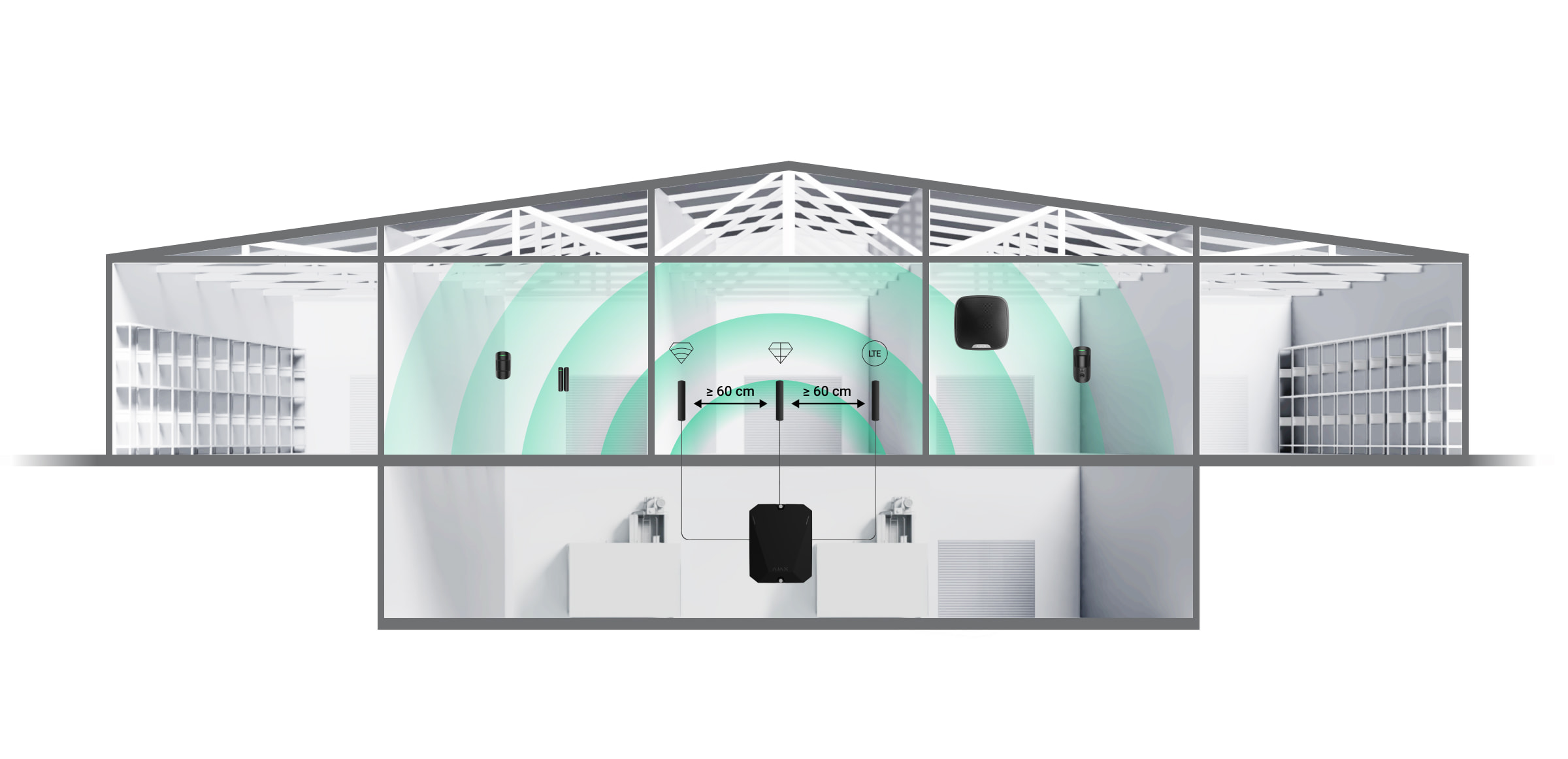
Distance between the antenna and the hub. When using two or more antennas, the distance between them must be at least 60 cm.
Obstacles affecting the radio signal: walls, ceilings and large objects in the room.
Follow the installation recommendations when designing your Ajax system. The safety system must only be designed and installed by specialists. A list of recommended Ajax partners is available here.
Places where the antenna should not be installed
In rooms where the temperature and humidity exceed the permissible limits. This can damage the antenna.
In areas with low signal levels. This may cause loss of connection.
Close to metal objects and mirrors. Conductive objects may obscure the antenna.
Preparing for installation
Before installing the external antenna, make sure that:
The hub is compatible with the ExternalAntenna;
the hub has a stable 2-3 bar signal with the mobile network at the installation site;
all connected devices have a stable 2-3 bar signal at the installation site;
the cable length from the hub to the installation site is sufficient.
Cable layout
When preparing the cable routing, check the wiring and fire safety regulations for your region. Strictly comply with these standards and regulations. Practical advice on cable routing is available in this article.
Cable routing
Before installation, read carefully the section Selecting the installation site. Avoid deviations from the system design. Failure to follow the basic rules and recommendations in this manual may cause malfunctions. Learn more
Installation
Before installation, make sure that you have selected the optimum location for the device that meets the requirements of this manual.
Only a professional electrician should install the appliance.
How to install ExternalAntenna
Before installing the antenna, read the manual of the respective Hub.
Make sure that the hub is unplugged before installation.
Remove the front cover of the hub.
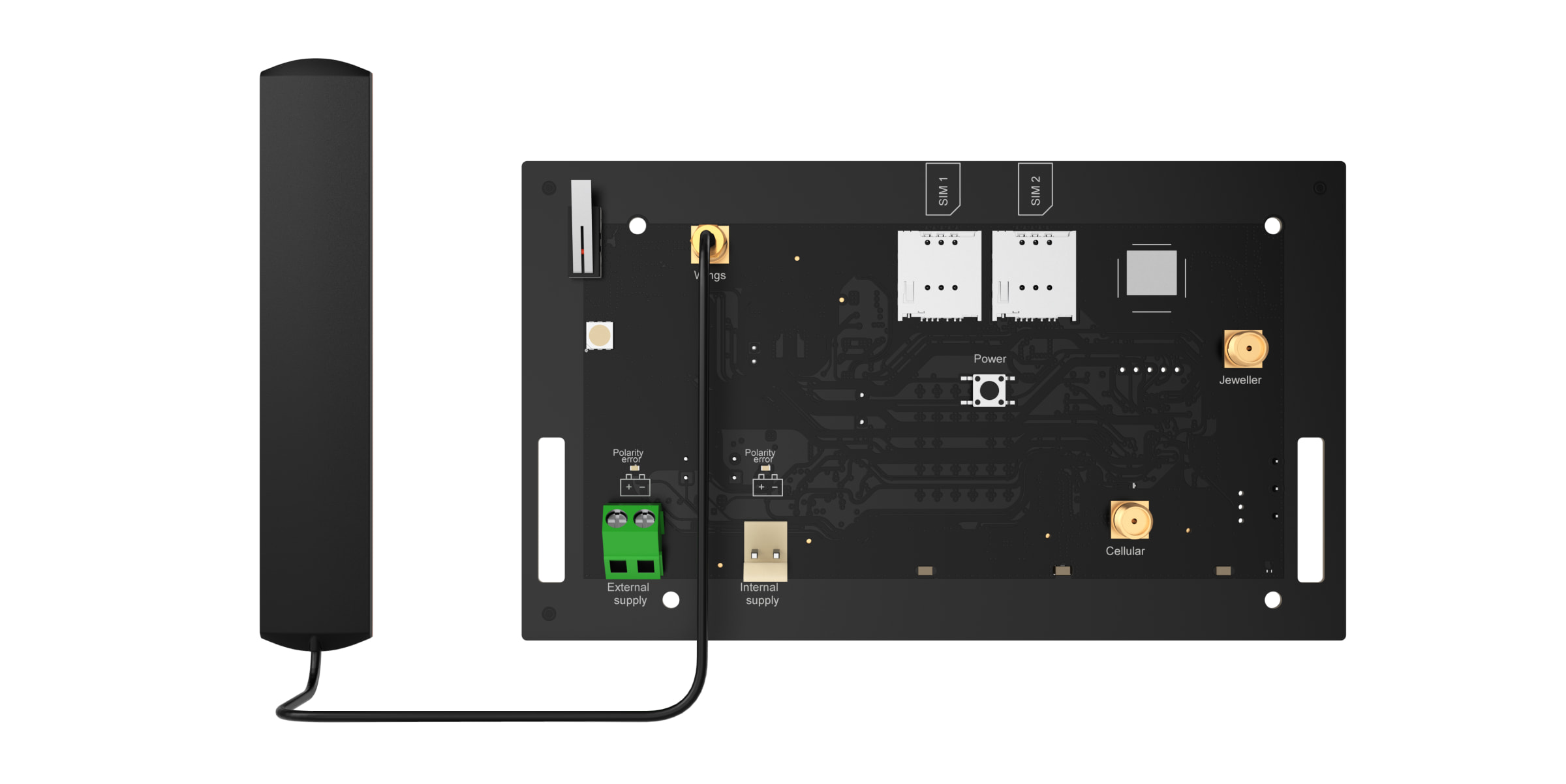
Identify the Jeweller, Wings or Cellular connectors on the circuit board.
Remove the isolation cap from the selected connector.
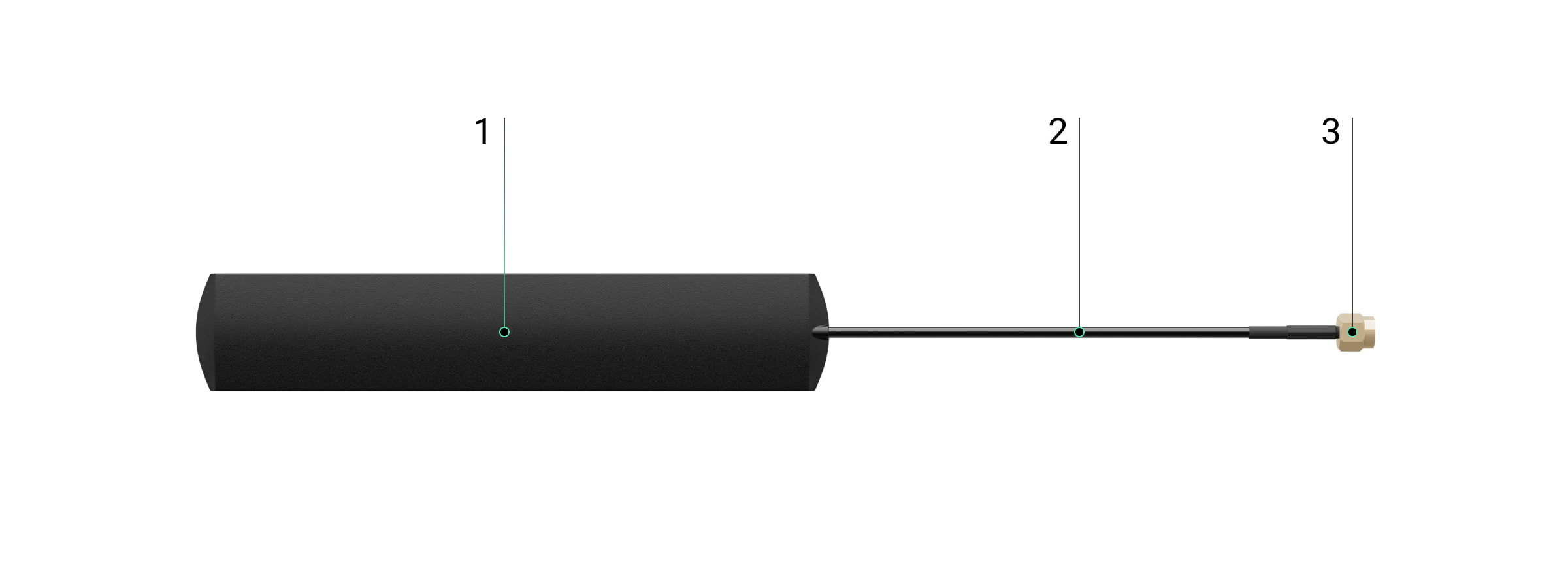
Connect the SMA (male) connector of the antenna to the SMA (female) connector of the board.
Switch on the hub. Close the housing of the hub. Remove the protective film from the pre-applied double-sided tape. Install the antenna at the selected location. Check the connection status in the app.
Status
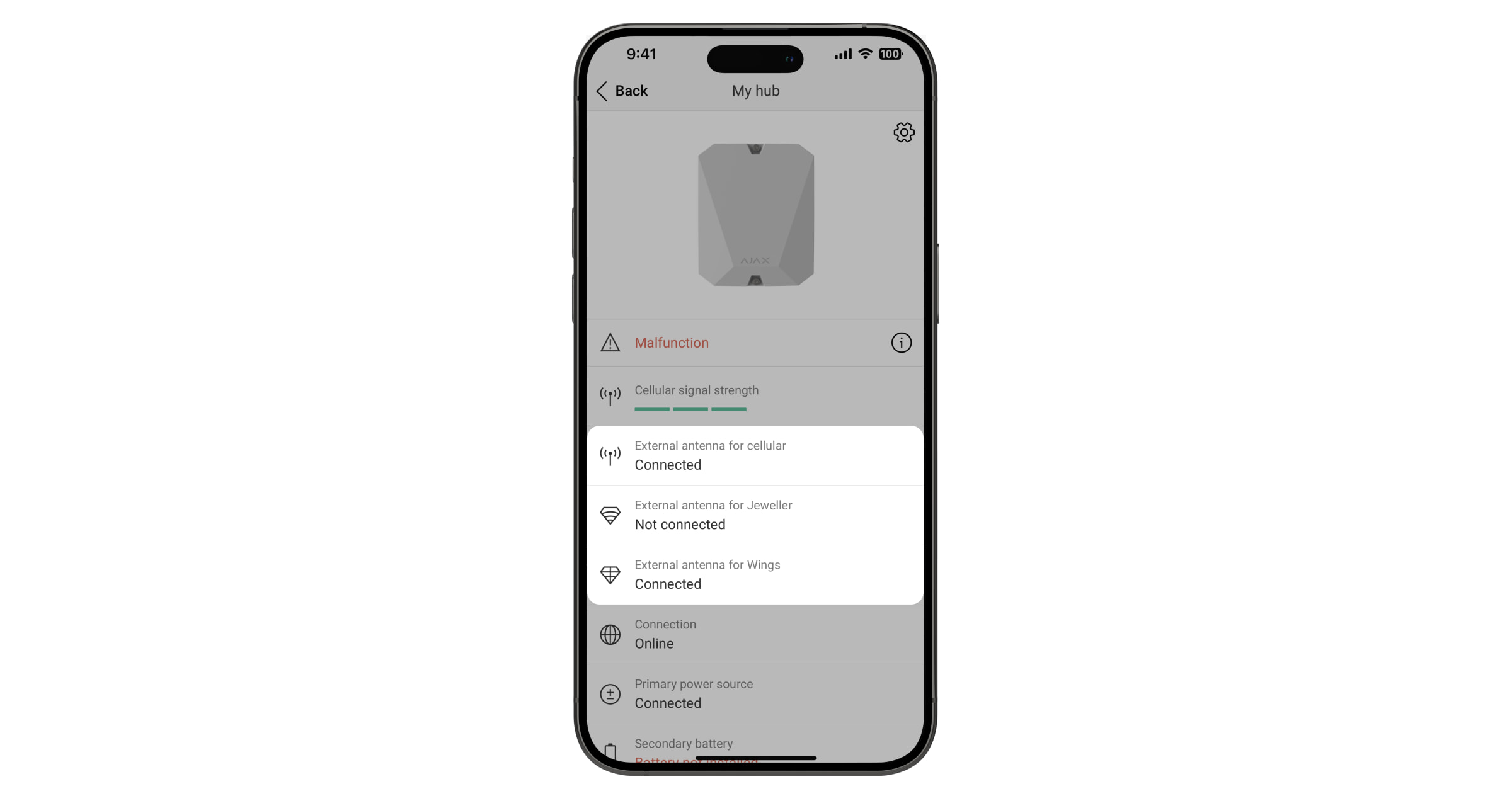
The Hub statuses contain information about the connection status of the antenna. These statuses are available in the Ajax app:
Open the Devices tab.
Select the hub from the list.
If the ExternalAntenna is damaged, the system will notify the user and the CMS.
Maintenance
ExternalAntenna does not require maintenance.
Technical specifications All technical specifications
Compliance with standards
Warranty
The Ajax Systems Manufacturing limited company product warranty is valid for 2 years after purchase.
If the device fails to function properly, please contact Ajax Technical Support first. In most cases, technical problems can be resolved remotely.
*Offer valid only for purchases made in the online store
In-Store Pickup: Make your payment and, once confirmed, pick up your order at 15a Cesvaines Street, Riga
Delivery
We offer convenient delivery throughout Latvia to Omniva, DPD, or Latvijas Pasts pickup points for €2.99, or delivery by courier to your address for €7.99.
Free delivery to pickup points for orders of €100 or more; free courier delivery for orders of €300 or more.
Warranty
All products in our store come with an official warranty ranging from 2 to 6 years, depending on the manufacturer.
The warranty period is the same for both individuals and businesses!
Share:
AJAX Antenna for LTE...
AJAX Antenna for LTE or radio...
€21,81€27,81
Unit price
€21,81€27,81
Unit price
€21,81€27,81
Unit price
Free Shipping
To pickup points starting at €100; by courier starting at €300
30-Day Return Policy
All items must be free of signs of use
Product Description
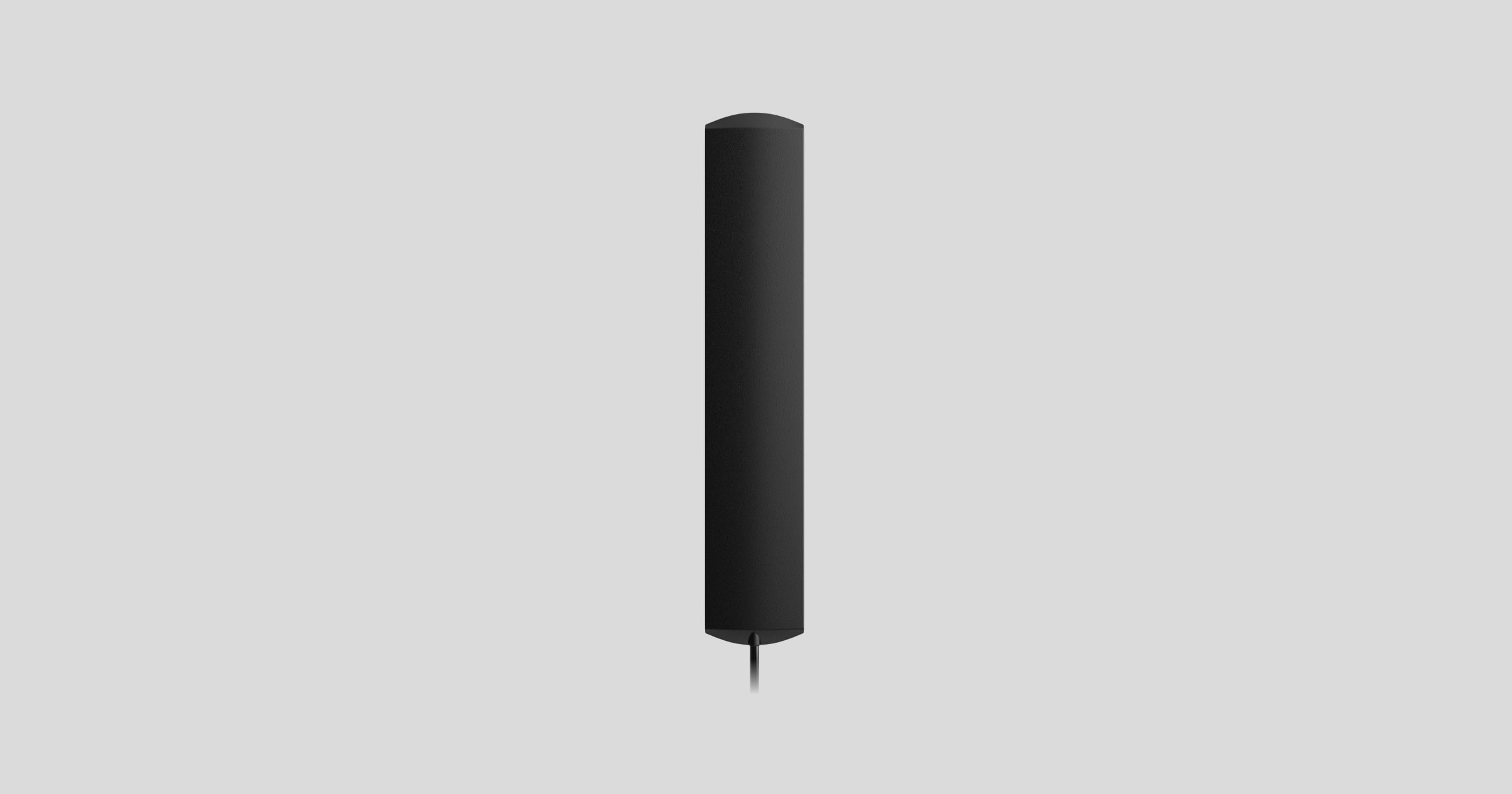
ExternalAntennais an antenna for LTE or radio communication.
ExternalAntennais an accessory and cannot be added or controlled through Ajax apps.
A compatible Ajax hub is required for the antenna to work.
The device is compatible with:
Hub BP Jeweller
ExternalAntenna sold separately.
Operating principle
ExternalAntenna improves communication between the hub and connected devices or mobile network. It is useful when the Hub is installed in a safe, in a reinforced concrete room or in other places where the signal has to overcome obstacles. The antenna can be connected to the required Jeweller, Wings or Cellular connectors.
Choosing the installation location
When selecting the installation location for the antenna, factors affecting its performance must be taken into account:
Signal strength of the selected communication channel (Jeweller, Wings or Cellular).
Distance between the antenna and the hub. When using two or more antennas, the distance between them must be at least 60 cm.
Obstacles affecting the radio signal: walls, ceilings and large objects in the room.
Follow the installation recommendations when designing your Ajax system. The safety system must only be designed and installed by specialists. A list of recommended Ajax partners is available here.
Places where the antenna should not be installed
In rooms where the temperature and humidity exceed the permissible limits. This can damage the antenna.
In areas with low signal levels. This may cause loss of connection.
Close to metal objects and mirrors. Conductive objects may obscure the antenna.
Preparing for installation
Before installing the external antenna, make sure that:
The hub is compatible with the ExternalAntenna;
the hub has a stable 2-3 bar signal with the mobile network at the installation site;
all connected devices have a stable 2-3 bar signal at the installation site;
the cable length from the hub to the installation site is sufficient.
Cable layout
When preparing the cable routing, check the wiring and fire safety regulations for your region. Strictly comply with these standards and regulations. Practical advice on cable routing is available in this article.
Cable routing
Before installation, read carefully the section Selecting the installation site. Avoid deviations from the system design. Failure to follow the basic rules and recommendations in this manual may cause malfunctions. Learn more
Installation
Before installation, make sure that you have selected the optimum location for the device that meets the requirements of this manual.
Only a professional electrician should install the appliance.
How to install ExternalAntenna
Before installing the antenna, read the manual of the respective Hub.
Make sure that the hub is unplugged before installation.
Remove the front cover of the hub.
Identify the Jeweller, Wings or Cellular connectors on the circuit board.
Remove the isolation cap from the selected connector.
Connect the SMA (male) connector of the antenna to the SMA (female) connector of the board.
Switch on the hub. Close the housing of the hub. Remove the protective film from the pre-applied double-sided tape. Install the antenna at the selected location. Check the connection status in the app.
Status
The Hub statuses contain information about the connection status of the antenna. These statuses are available in the Ajax app:
Open the Devices tab.
Select the hub from the list.
If the ExternalAntenna is damaged, the system will notify the user and the CMS.
Maintenance
ExternalAntenna does not require maintenance.
Technical specifications All technical specifications
Compliance with standards
Warranty
The Ajax Systems Manufacturing limited company product warranty is valid for 2 years after purchase.
If the device fails to function properly, please contact Ajax Technical Support first. In most cases, technical problems can be resolved remotely.
We guarantee a safe shopping experience
Our store carries only products from official manufacturers and distributors that we trust.